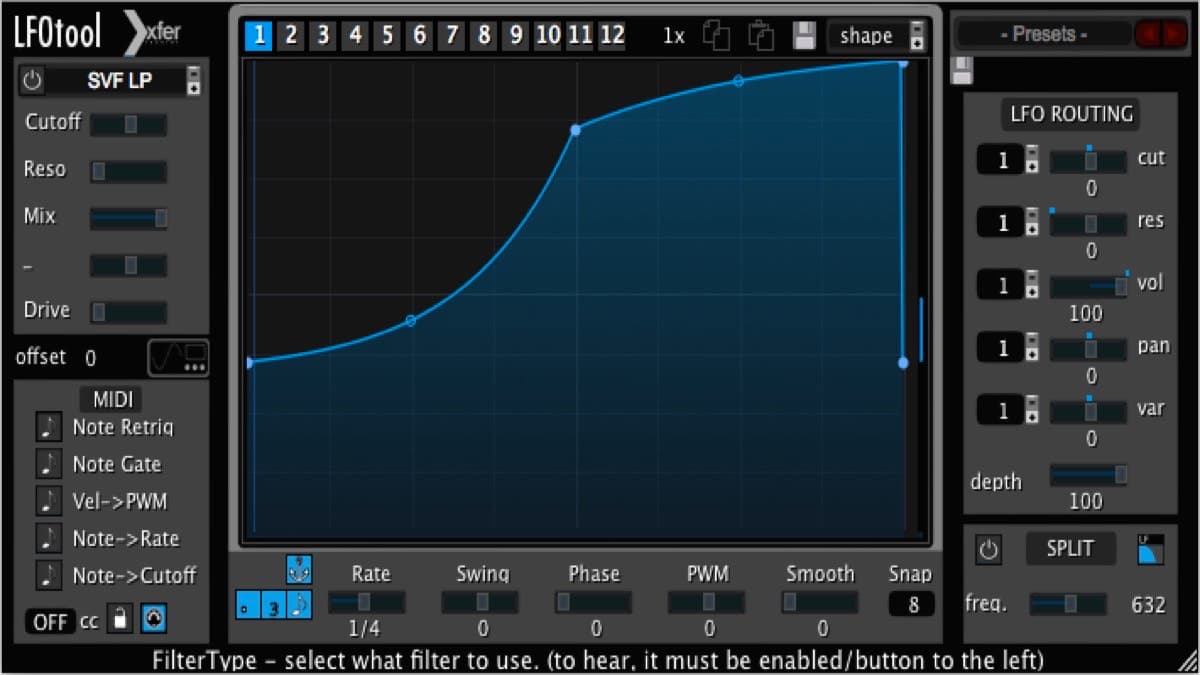
Xfer Records LFO Tool is a focused modulation utility: draw an LFO shape, lock it to tempo, and use it to move volume, filter cutoff, resonance, or pan. That simple idea made it a default install for electronic producers who want the "sidechain pump" without routing a kick into a compressor. Curves use points and tension handles, so ramps, traps, and custom rhythms are quick to design and save.
It excels at predictable, musical motion. Because the shape is a fixed graph rather than a level-dependent compressor, every bar ducks the same way — ideal for EDM, house, pop, and any genre that wants a locked groove. Multiple graphs per preset (switchable via MIDI or automation) and optional MIDI CC output extend it beyond internal volume: you can drive other softsynths or hardware from the same curve. Coded in C++ for low CPU, it stays out of the way on dense sessions.
The trade-offs are age and scope. LFO Tool has not received the multi-effect overhaul that tools like Cableguys ShaperBox 3 bring (time, width, noise, multi-band racks). The interface still looks like mid-2010s Xfer. If you only ever need kick ducking, Kickstart 2 is simpler and cheaper. If you want a full rhythmic FX suite, ShaperBox or VolumeShaper go further.
Against its alternatives, Kickstart 2 wins for one-knob ducking speed. ShaperBox 3 is the modern multi-shaper flagship. VolumeShaper 6 and Multipass cover related Cableguys ground with more bands and routing. Choose LFO Tool when you want the classic drawable LFO workflow, MIDI CC control, and a light footprint at a mid-range price — still a template staple for a reason.