Some links on this page are affiliate links. If you buy through them, Dubspot may earn a commission at no extra cost to you. It never affects our scores or what we recommend — read our policy.
Best Free DAWs for Music Production (2026): Reason Free Takes #1
The best free DAWs for music production in 2026, ranked. Reason Free puts Europa, Kong and the legendary Reason Rack in every producer's hands, free forever.
M
Marcus Feld
August 27, 2026 · 33 min read
| Pick | Score | Price |
|---|---|---|
Reason Free The legendary Rack, now free in any DAW | 9.3 | Free forever → |
Waveform Free Unlimited tracks and every major plugin format | 9.0 | Free → |
Cakewalk Sonar (free tier) Studio-grade Windows production, unlimited tracks | 8.6 | Free tier → |
GarageBand Already on your Mac and your iPhone | 8.4 | Free → |
Audacity The audio editor every studio keeps installed | 7.8 | Free → |
BandLab Browser sketching and collaboration, nothing to install | 7.5 | Free → |
LMMS Open-source beatmaking, and the best Linux option | 7.2 | Free → |
Pro Tools Intro Learn the industry-standard workflow for nothing | 7.0 | Free → |
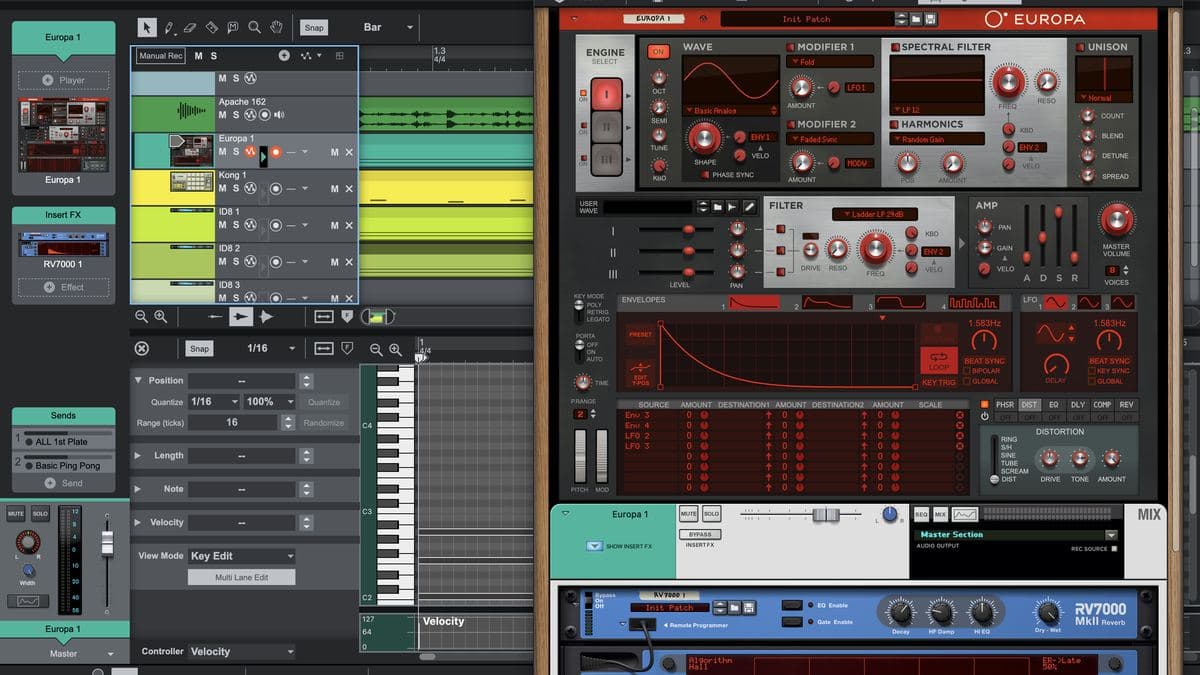
Free music software has been on a very good run. You can now record, arrange, mix and export a finished track on any major operating system without spending a cent. As of today, the top of that list looks different. Reason Studios has released Reason Free, which puts the Reason Rack into the hands of anyone willing to download it: Europa, Kong, the RV7000 Mk II reverb and more.
That launch is a good moment to stop treating free DAWs as a footnote. This version of the guide reviews all eight in depth: what each one includes, where the free tier stops, what signing up costs you, and who should pick it. It updates the rankings we published in June using the same scoring, so the numbers compare directly against our last pass. Reason Free takes the top spot, and price isn't the main reason why.
What to look for in a free digital audio workstation
"Free" covers a lot of ground, and not all of it is equal. Some free DAWs are complete, permanent tools. Others are time-limited versions of paid software, or they quietly cap what you can bounce out at the end. Six things separate the useful from the frustrating.
- Track counts that survive a real project. A hard cap is fine if it's honest and generous. A cap that stops you mid-arrangement isn't.
- Stock sounds you actually want to use. A serious synth or drum machine in the box saves you months of plugin hunting.
- Plugin format support. VST3, AU and AAX are the formats that matter. Check which ones your DAW loads, and on which operating system.
- Whether your work survives a switch. Anything that holds your projects, patches or exports hostage is a bad deal at any price.
- A sensible upgrade path. Free should be the first rung of a ladder, not a dead end.
- What signing up actually costs you. Several of these want an account before you can install or unlock anything, and a couple need to phone home later to stay activated. None of it's a dealbreaker, but you should know first. Every review below reports it.
Score every option against those six and one name pulls clear this year. If you're still weighing paid against free, our best DAWs for beginners in 2026 guide covers the other side of that question.
1. Reason Free: best overall value, a DAW and a plugin in one download
Reason Studios launched Reason Free today, and one download gives you two tools. You get a standalone DAW running 16 audio and/or MIDI tracks, plus the Reason Rack as a VST3, AU and AAX plugin that loads into Ableton Live, FL Studio, Logic Pro, Pro Tools, Cubase or any other major host. It's free forever, with no expiration date and no watermark on what you export, and nobody asks for a credit card. That combination earns the 9.3: nothing else here hands you devices of this caliber and then lets you carry them into the DAW you already use. The current first look is Universal Audio LUNA 3.0.
| Reason Free | At a glance |
|---|---|
| Dubspot Score | 9.3 / 10 (Essential) |
| Platforms | macOS 11 or later; Windows 11 or Windows 10 64-bit build 14393+ (Windows-on-Arm via Prism emulation) |
| Plugin support | It is the plugin: VST3, AU and AAX in any compatible host, plus Rack Extensions |
| Free-tier limits | 16 audio and/or MIDI tracks standalone, 15 devices, free Reason Studios account |
| Upgrade path | Reason+ from $169 a year, or perpetual Reason 14 from $299 |
Reason Studios published a walkthrough alongside the launch. It's the fastest way to see how the two modes fit together.
The 15 devices
I've been working in Reason since version 6.5, which is well over a decade of Rack time. For almost all of that history the Rack sat behind a paid license. You bought Reason, or you didn't get the Rack. Watching Europa turn up in a free download still feels strange to anyone who remembers that.
Instruments (4)
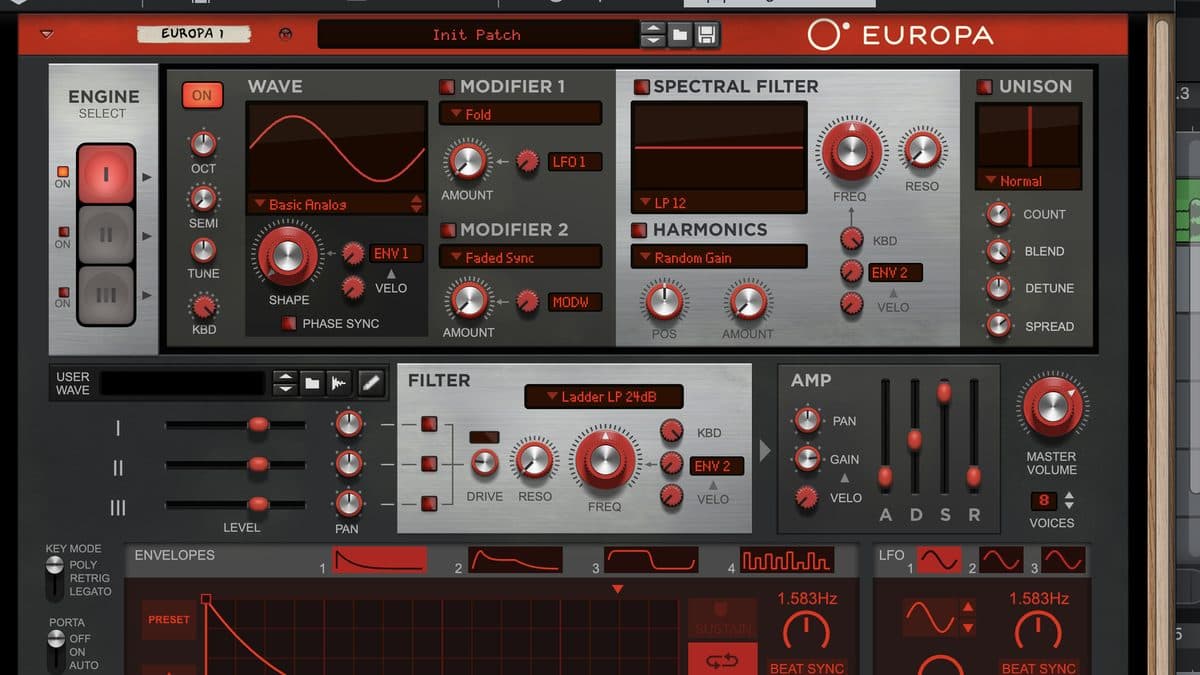
- Europa Shapeshifting Synthesizer: the flagship wavetable synth, built on three spectral wave engines with deep waveform shaping, modulation and onboard effects. Over 600 patches, and a Reason staple since Reason 10 in 2017.
- Kong Drum Designer handles beats, one-shots and percussion design.
- ID-8 Songwriter's Toolbox puts piano, bass, guitar, strings and synth sounds in one device, for fast sketching.
- Monotone Bass Synthesizer, a monophonic synth for deep basses and expressive leads.
Effects (5)
- Scream 4 Sound Destruction Unit: creative distortion and saturation.
- The Echo, a stereo delay with modulation and filtering.
- Audiomatic Retro Transformer adds one-knob vintage and lo-fi character.
- RV7000 Mk II Advanced Reverb, a professional-grade reverb.
- MClass Maximizer: a mastering limiter for the end of the chain.
Players and utilities (6)
- Scales & Chords generates in-key melodies and chord voicings.
- Combinator combines devices into one patch with a custom panel and macros.
- Pulsar Dual LFO, a dual modulation and LFO source.
- Spider Audio Merger & Splitter routes audio anywhere you want it.
- Spider CV Merger & Splitter does the same job for control voltage.
- MIDI Out Device drives external plugins and hardware.
Europa is the headline, and it's worth seeing in motion before you download anything.
More than a plugin bundle
That list reads like a plugin bundle. The Rack is something else. Flip it around and you're looking at the back panel, where you patch virtual audio and CV cables by hand, split and merge signals, and build macro controls into custom chains. I have a well-documented weakness for modular gear, and this is the part that keeps pulling me back: a connected environment rather than a folder of separate plugins that share a logo.
The routing pays off inside a host DAW too. Reason Studios suggests running your host's own synths through the Rack as an effect chain, which turns Reason Free into a processing environment rather than another instrument slot. As Mattias Häggström Gerdt, Senior Product Manager at Reason Studios, puts it: "With Reason Free, we're giving everyone a piece of that experience." We covered the current release in Tracker Pro.
The Rack Extension marketplace is open to free users too. That means hundreds of extra devices, free and paid, from Reason Studios and independent developers, many of them exclusive to the Reason ecosystem. Our review of Reason Studios Osmium shows what that shelf looks like.
The honest catches
The standalone DAW stops at 16 tracks, and the free tier is built around Reason's own devices rather than broad plugin hosting. What you get is a tightly curated slice of Reason's most creative devices, not the full collection, and it is not a complete mixing and mastering suite. Every Reason+ device also appears in the free Rack as a greyed-out slot, so the upgrade is always on screen. Some people find that useful, others find it nagging. You'll need a free Reason Studios account to download and activate, which takes about a minute. The 2026 note on this category is Tracker Pro DAW.
Pros:
- Free forever rather than a trial, with no expiry and no export watermark
- Works as a 16-track standalone DAW and as a plugin in your existing DAW
- Europa, Kong and RV7000 Mk II are serious devices, not stripped-down teasers
- Full modular back panel and access to the Rack Extension marketplace
Cons:
- 16-track ceiling in standalone mode
- Built around Reason's own devices rather than broad plugin hosting
- Reason+ devices sit greyed out in the Rack as a permanent upsell
Get it if you want the most creative sound design available without paying, in your DAW or on its own. Skip it if you need a big track count and deep third-party plugin hosting.
My verdict: the free version arrives in the Reason 14 era, and that timing matters. You get the legendary Rack devices combined with a modern take on one of the most unique DAWs ever made.
Download Reason Free2. Waveform Free: best for deep, unlimited arrangement work
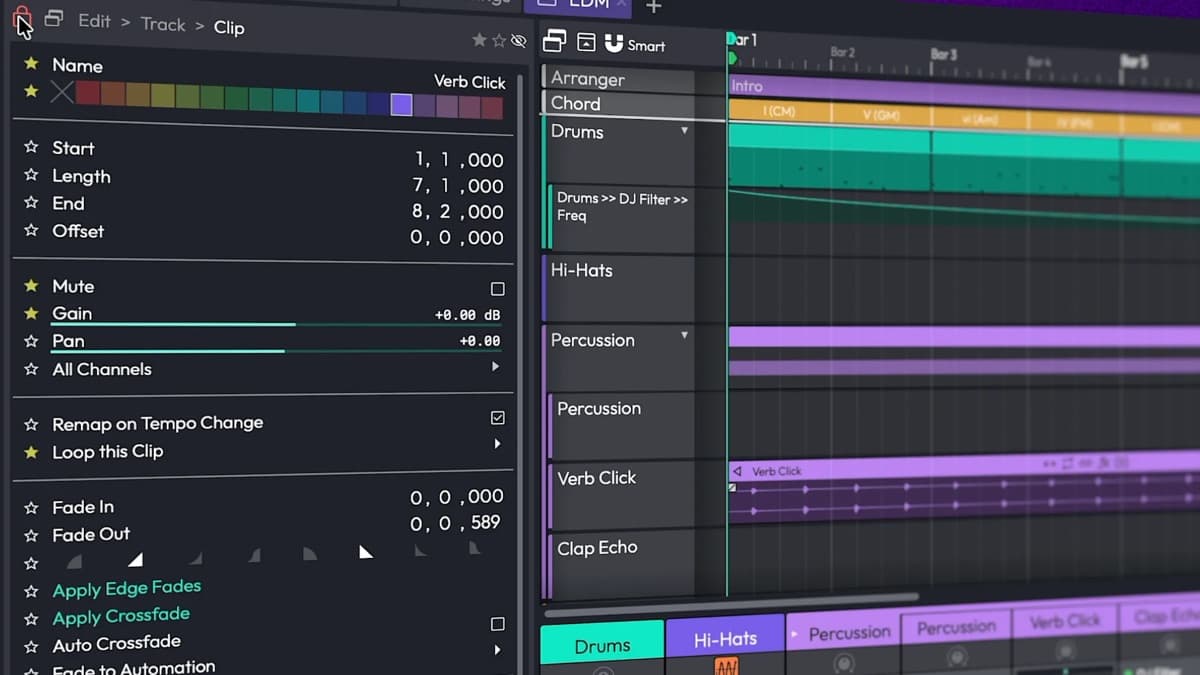
Tracktion's Waveform Free is the most complete conventional workstation here. Nothing caps your track count, your session length or what you export, and it loads VST, VST3 and AU plugins. The 9.0 reflects a free tier that works as a real production environment rather than a demo. It loses the half-point to a Linux build that hasn't arrived and a feature table that keeps growing paid columns.
| Waveform Free | At a glance |
|---|---|
| Dubspot Score | 9.0 / 10 (Essential) |
| Platforms | macOS 13 or later, Windows 10 and 11 (64-bit). Linux officially "coming soon" for 14 |
| Plugin support | VST, VST3 and AU. No AAX; ARA2 is Pro-only |
| Free-tier limits | No track cap, but no clip launcher, chord track, arranger track, clip automation or real-time stretch. Tracktion account required |
| Upgrade path | Waveform Pro 14 at $249 one-time ($149 upgrade), or $30 to $50 expansions |
The box is better stocked than most free tiers: 14 audio effects, 8 MIDI effects, 11 utility plugins and 4 instruments. Those instruments are 4OSC, the Micro Drum Sampler, the Micro Sampler and a new Rompler. That's enough to sketch with, though nobody will mistake them for a boutique synth collection. The stock effects cover the essentials, including three reverbs, an impulse response loader and EQs with adjustable slopes and mid/side operation.
Version 14 is a substantial release. The audio engine was rewritten for lower CPU load and proper delay compensation, the interface was rebuilt, and the browser gained tags, favourites and smart lists. Free users get comping, plugin racks, multiple automation lanes, track freeze, bounce in place, MPE support and offline Elastique time-stretching. Those features once marked the line between free and paid software.
The gaps are specific rather than crippling. The entire clip launcher section is Pro or a paid expansion, and so are the chord track, arranger track, clip automation and real-time stretching. Tracktion's release notes mention plugin limits raised to 25 for more detailed chains, without spelling out the scope of that number. Then there's the newer expansion model: $30 for a Synth Pack, $50 each for Launcher, MIDI Producer and others. It makes the free DAW increasingly a funnel toward Pro. The latest pass here is Maschine 3.7.
It took me a couple of weeks to stop fighting Waveform's single-window layout, which is the honest cost of its density. The payoff is that the workflow matches the paid tiers, so time invested now carries into Waveform Pro later. We covered the current version in our Tracktion Waveform Free 14 review.
Pros:
- No track, time or export limits
- VST, VST3 and AU support on Windows and macOS
- Rewritten engine with real comping, freezing and automation lanes
- Skills transfer straight to Waveform Pro
Cons:
- No Linux build for 14 yet, despite Waveform's Linux history
- Clip launcher, chord track and arranger track are all paid
- Single-window interface has a real learning curve
Get it if you want a full-featured, unlimited DAW that hosts your existing plugins. Skip it if you're on Linux today, or you need clip-launching for live performance.
3. Cakewalk Sonar (free tier): best full production suite on Windows
If you're working from older advice, start here. Cakewalk by BandLab has reached the end of its development and support, with activation renewals ceasing at the end of 2025. Its successor, Cakewalk Sonar, carries a free tier that's still remarkably capable. An 8.6 covers the sheer depth of studio plumbing you get at zero cost, held back by a Windows-only footprint and an activation model that asks for trust.
| Cakewalk Sonar | At a glance |
|---|---|
| Dubspot Score | 8.6 / 10 (Great) |
| Platforms | Windows 11 and higher, including native ARM64. Installs on Windows 10, but not officially supported |
| Plugin support | VST2, VST3 and ARA |
| Free-tier limits | Unlimited tracks and unrestricted export, but limited ProChannel modules, no Core Plugins, no Elastique. Free BandLab account plus periodic reactivation |
| Upgrade path | BandLab Membership at $14.99 a month, or $99 for the first year |
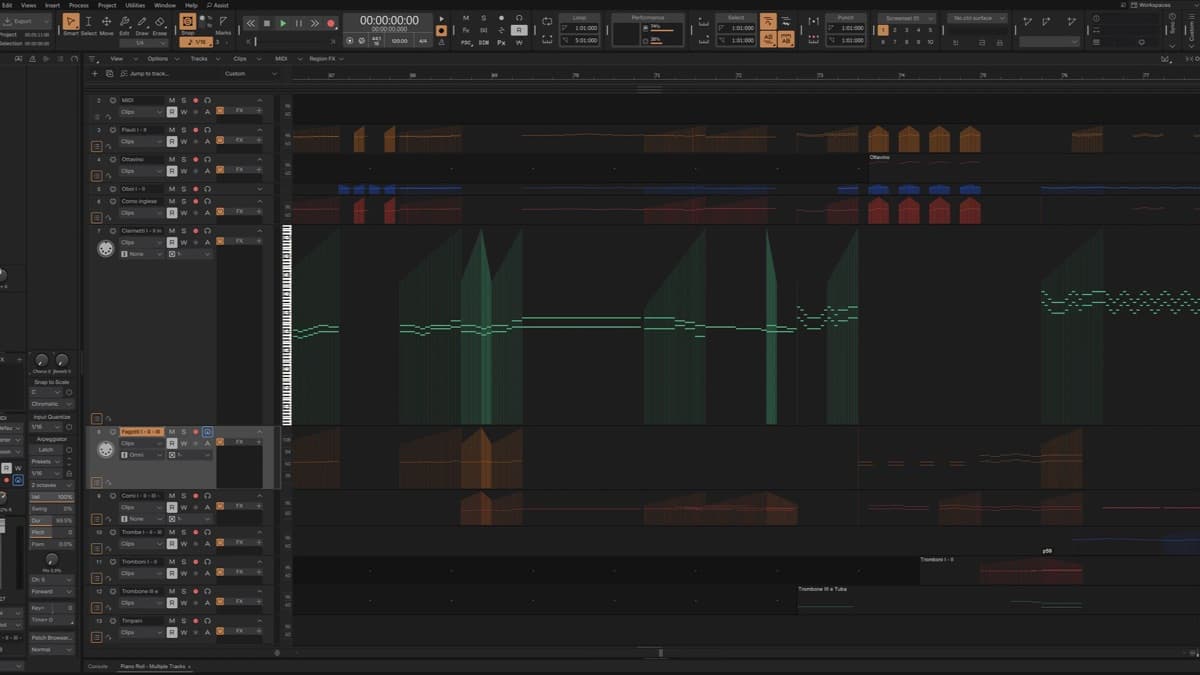
The free tier is fully functional for recording, editing, mixing, saving and exporting, with unlimited audio, MIDI and instrument tracks on a 64-bit mix engine. The first time I opened it I went looking for the catch in the mixer and didn't find one. ProChannel sits on every audio track, instrument track and bus, albeit with a limited module set. ARA support is included free too, which is unusual at this price.
The rest of the free list is dense: multi-level track folders, advanced take lanes and comping, the AudioSnap transient engine, VocalSync timing alignment, Mix Recall and alternate scenes, articulation maps, a per-channel spectrum analyzer in the Console view, and XSampler, a 16-voice sampler that turns audio into playable instruments. The current release is 2026.08, and updates have landed roughly every two months this year.
The free tier loses Elastique time-stretching, plugin oversampling, POW-R dithering, Signal Probe, custom workspaces, the theme editor and the modern Core Plugins suite, so you lean on older stock effects. The full Overloud TH-U amp sim runs in demo mode only. Both free and paid licenses need periodic online reactivation, and the free license is described as indefinite rather than perpetual. That's softer wording, and Cakewalk by BandLab's shutdown is recent enough that the caution is earned. Minimum specs are steep for a free DAW: Windows 11, 16 GB of RAM, an 8-core CPU.
The remaining weakness is inspiration. Nothing in the box grabs you the way Europa does, so budget for third-party instruments early.
Pros:
- Unlimited tracks and unrestricted export on a genuine 64-bit engine
- ProChannel, XSampler, AudioSnap, VocalSync and ARA all included free
- Native ARM64 support and a steady two-month update cadence
- Comping, folders and mixing tools that rival paid DAWs
Cons:
- Windows only, with demanding minimum specs
- Periodic online reactivation required, even on the free tier
- Core effects, Elastique and workspace customization are paywalled
Get it if you're on Windows 11 and want maximum studio depth for $0. Skip it if you work on a Mac, or you want a license that never phones home.
4. GarageBand: best for Apple beginners
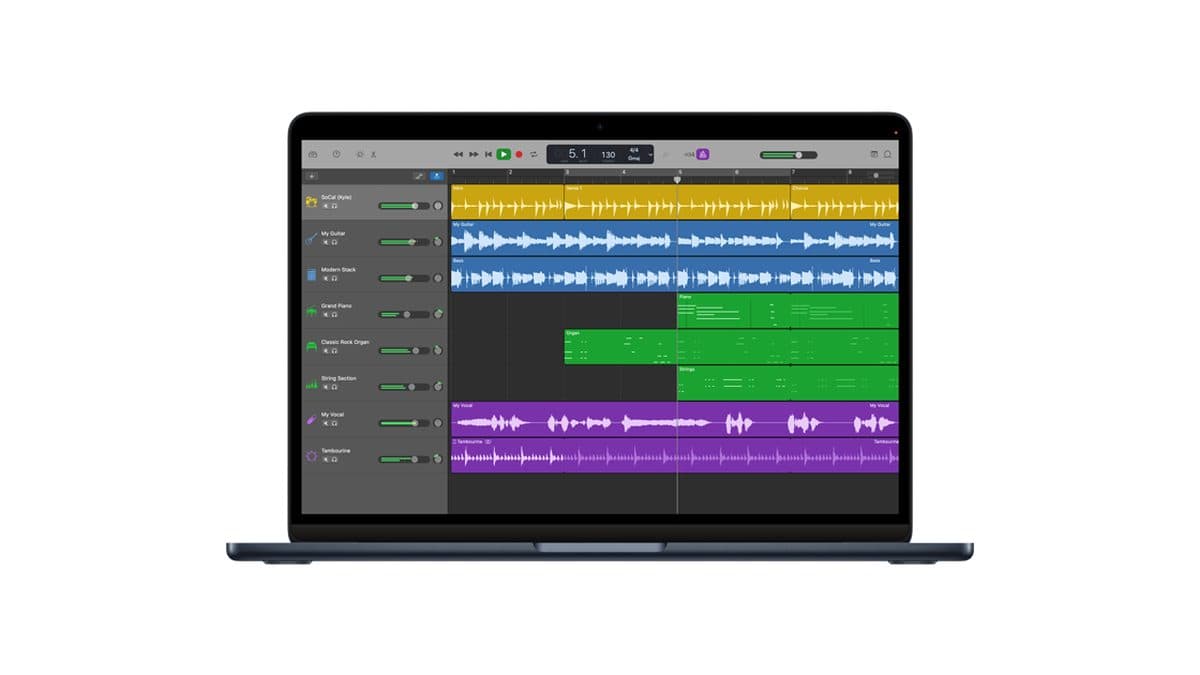
GarageBand is already on your Mac and your iPhone, which makes it the lowest-friction start in music production. There's no paid tier and no upsell inside it. The 8.4 lands where it does because this is good software with a low ceiling, and because its plugin format locks out much of what people download next.
| GarageBand | At a glance |
|---|---|
| Dubspot Score | 8.4 / 10 (Great) |
| Platforms | macOS and iOS/iPadOS only. Current builds need macOS 15.6 or later, iOS 26 or later |
| Plugin support | Audio Units only: 64-bit AU on Mac, AU Extensions on iOS. No VST |
| Free-tier limits | Free in full: up to 255 tracks on Mac, 32 on iPhone and iPad, with simplified mixing |
| Upgrade path | Logic Pro for Mac at $199.99, one-time |
The track count surprises people. GarageBand on Mac handles up to 255 audio tracks, far more headroom than most beginners will use, while the iPhone and iPad version tops out at 32. Drummer is the standout: virtual session players you direct rather than program, with 28 beat-making drummers and three percussionists on Apple's Mac page, spread across genres from EDM to blues. On iPhone and iPad you also get a version of Apple's Alchemy synth with over 150 patches, plus Live Loops for grid triggering and Remix FX for gestural transitions. If you outgrow it on iPad and want a tracker with a deeper sampler, the Tracker Pro for iPad 1.1 update covers a one-time alternative, on sale for $19.99 (regular $29.99).
On the Mac, Apple promises 100 EDM- and hip-hop-inspired synth sounds driven by the Transform Pad Smart Control rather than naming the Alchemy engine, so treat the two platforms as having different synth stories. The Mac version also includes 40 genre-based Learn to Play lessons with real-time feedback, a large amp and stompbox collection, and free Producer Packs that keep expanding the loop library. Projects sync through iCloud, so a sketch started on a train opens on your desktop.
GarageBand loads Audio Units and never VST, which rules out a large share of the free plugins people find first. It's Apple-only, current builds demand recent operating systems, and mixing controls are simplified to the point of being limiting once you know what you want. Most people use it for six months and then move to Logic Pro or elsewhere. That's fine. It does its job.
Pros:
- Free, pre-installed and genuinely easy to learn
- Up to 255 tracks on Mac, far past beginner needs
- Drummer, the guitar rig and Learn to Play lessons all included
- iCloud sync between iPhone, iPad and Mac
Cons:
- Audio Units only, with no VST support whatsoever
- Apple platforms only, and current builds need very recent OS versions
- Simplified mixing hits a ceiling within months
Get it if you own a Mac or iPhone and want to start writing music today. Skip it if you already own VST plugins, or you need real mixer depth.
5. Audacity: best free audio editor (and not a DAW)
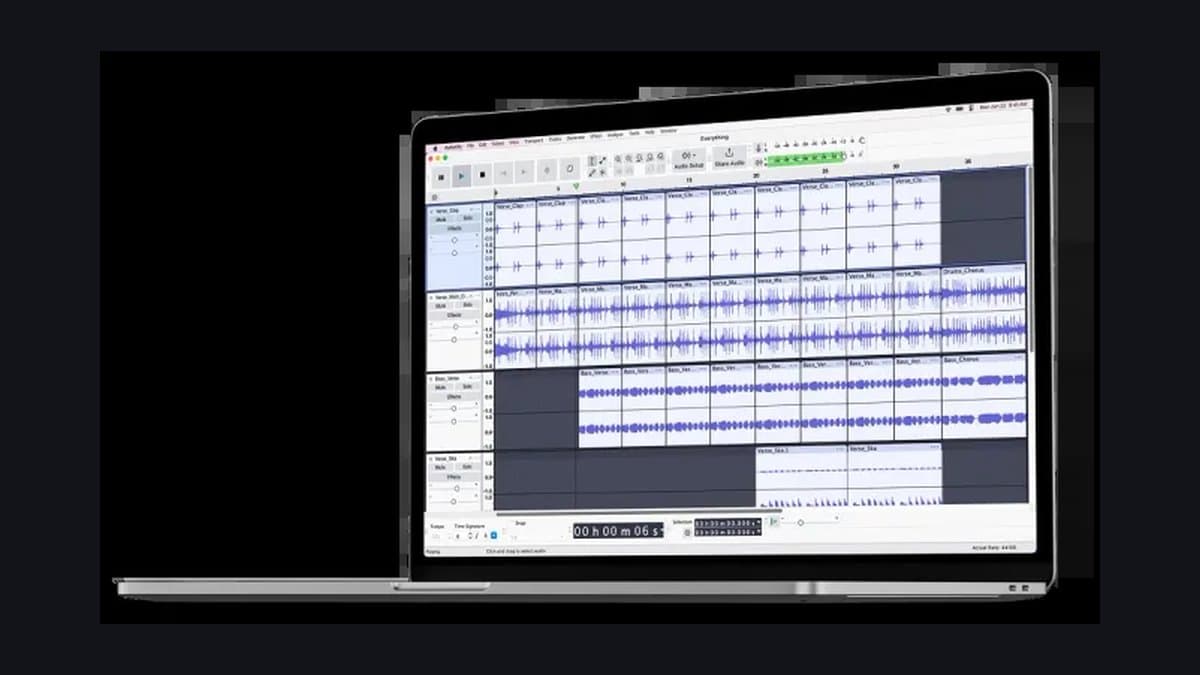
Audacity is not a DAW. The official description is a multi-track audio editor and recorder, which is exactly what it is and exactly what it's excellent at. Its 7.8 makes it the best free tool for trimming, cleaning, converting and restoring audio, capped by the complete absence of MIDI and instrument workflows.
| Audacity | At a glance |
|---|---|
| Dubspot Score | 7.8 / 10 (Good) |
| Platforms | Windows, macOS and Linux |
| Plugin support | VST3, VST, LV2, LADSPA, plus Audio Units on macOS (effects only) |
| Free-tier limits | Free and open source (GPLv3), no account. Audio only: no MIDI recording, no instruments |
| Upgrade path | None (there is no paid version) |
The current release is 3.7.8, and the software has changed more than its reputation suggests. Since 3.2 it has supported real-time, non-destructive effects and VST3 plugins, with an effect stack that renders automatically on export. Version 3.6 added Master effects that apply to the whole project at once, plus a rebuilt Compressor and Limiter that show gain-reduction history in real time.
I kept Audacity in the utility folder for years, using it as a destructive trimmer and nothing else. The real-time effect stack broke that habit, because saved projects now let you revisit effects and untrim clips instead of committing on the spot.
Audacity cannot record MIDI and doesn't host virtual instruments, so there's no composition workflow here. MIDI files import as Note Tracks with limited editing, and on macOS and Linux they need a separate software synthesizer for playback. Anything outside the real-time stack still renders permanently into the waveform. The 3.7 series is explicitly in maintenance while the team builds Audacity 4.0, a complete remake of the interface with no announced release date.
Export coverage is broad: MP3, WAV, OGG, Opus, M4A, FLAC and WavPack. No account is needed either. Keep it installed as a utility alongside your actual DAW.
Pros:
- Free, open source, and available on Windows, macOS and Linux
- No account or sign-up, and no activation of any kind
- Real-time non-destructive effects and Master effects since 3.6
- Excellent format coverage for import, export and conversion
Cons:
- No MIDI recording and no virtual instrument hosting
- Editing outside the real-time stack is still destructive
- 3.7.x is in maintenance while 4.0 is rebuilt
Get it if you need a fast, reliable audio editor that opens anything. Skip it if you want a DAW to write and arrange music in.
6. BandLab: best free DAW with nothing to install
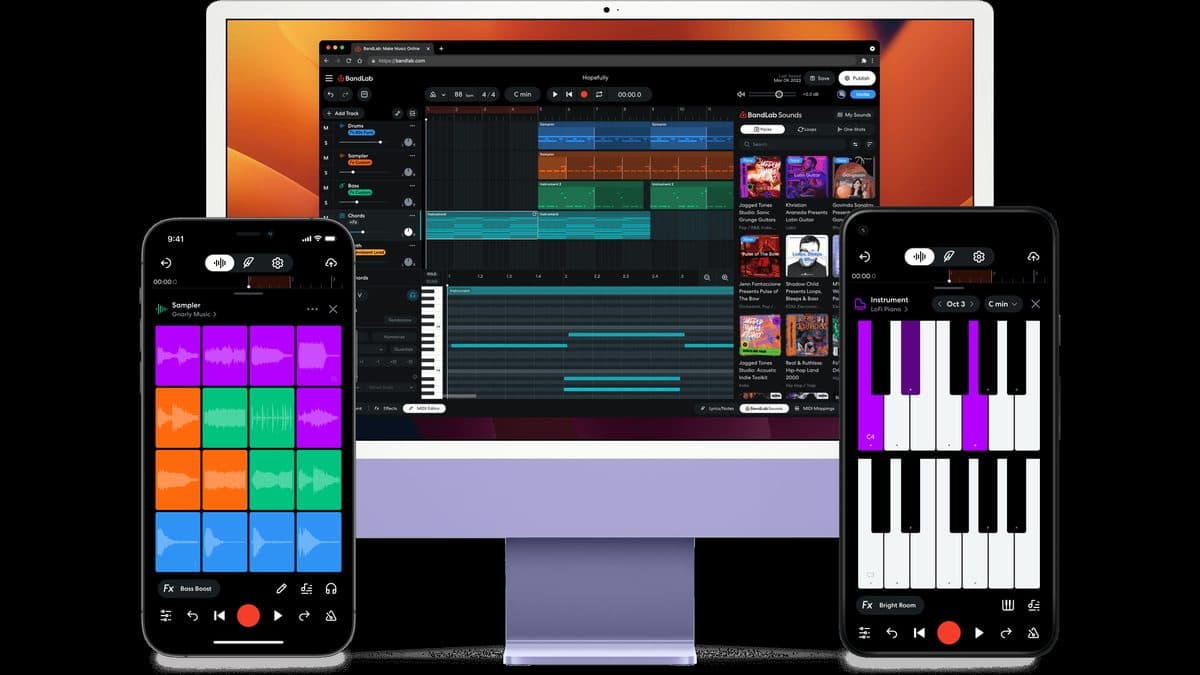
BandLab runs entirely in a browser or on your phone, with nothing to install and collaboration built in from the start. It's the easiest way to co-write with someone on another continent. Two things push it to 7.5: a barrier to entry close to zero, and collaboration that actually works. The per-project caps put a firm lid on how far a track can go inside it.
| BandLab | At a glance |
|---|---|
| Dubspot Score | 7.5 / 10 (Good) |
| Platforms | Any modern browser, plus iOS and Android apps. No desktop application |
| Plugin support | None (built-in instruments and effects only) |
| Free-tier limits | 16 tracks per project, 15-minute project cap, ads, FX chains capped at 10. BandLab account required |
| Upgrade path | BandLab Membership from $14.99 a month, or $99 for the first year, for 32 tracks |
The free tier is better stocked than the price suggests. You get 436 virtual instruments, a 16-pad Sampler, a Drum Machine with more than 60 kits and a Looper, plus free AutoPitch vocal effects and instant mastering with four presets. SongStarter generates song ideas as editable MIDI tracks, and Splitter separates stems three times a day at no cost. Projects auto-save to the cloud and support up to 50 collaborators, and that collaboration layer is the point of the platform.
The limits arrive quickly. Free projects cap at 16 tracks and 15 minutes, and that 15-minute ceiling applies to paying members too. Effect chains stop at 10 slots, the free tier carries ads, and no third-party plugin support is documented anywhere. Web recording handles two simultaneous inputs, so full-band tracking is out. Exports top out at M4A or 16-bit, 44.1 kHz WAV, with no stem bounce and no partial-range export.
Those limits define what BandLab is for. Treat it as a sketchpad and a collaboration space rather than a mixing environment, and it's very hard to beat.
Pros:
- Nothing to install, so it works in a browser and on phones
- Cloud projects with up to 50 collaborators
- 436 instruments, Sampler, Drum Machine and Looper on the free tier
- Free mastering presets and daily stem separation
Cons:
- 16 tracks and a hard 15-minute project cap, which paying does not lift
- No VST or AU support, and ads on the free tier
- Exports stop at 16-bit, 44.1 kHz with no stems
Get it if you want to write with other people, on any device, right now. Skip it if you plan to mix and master a full release inside it.
7. LMMS: best free DAW for Linux and pattern-based beatmaking
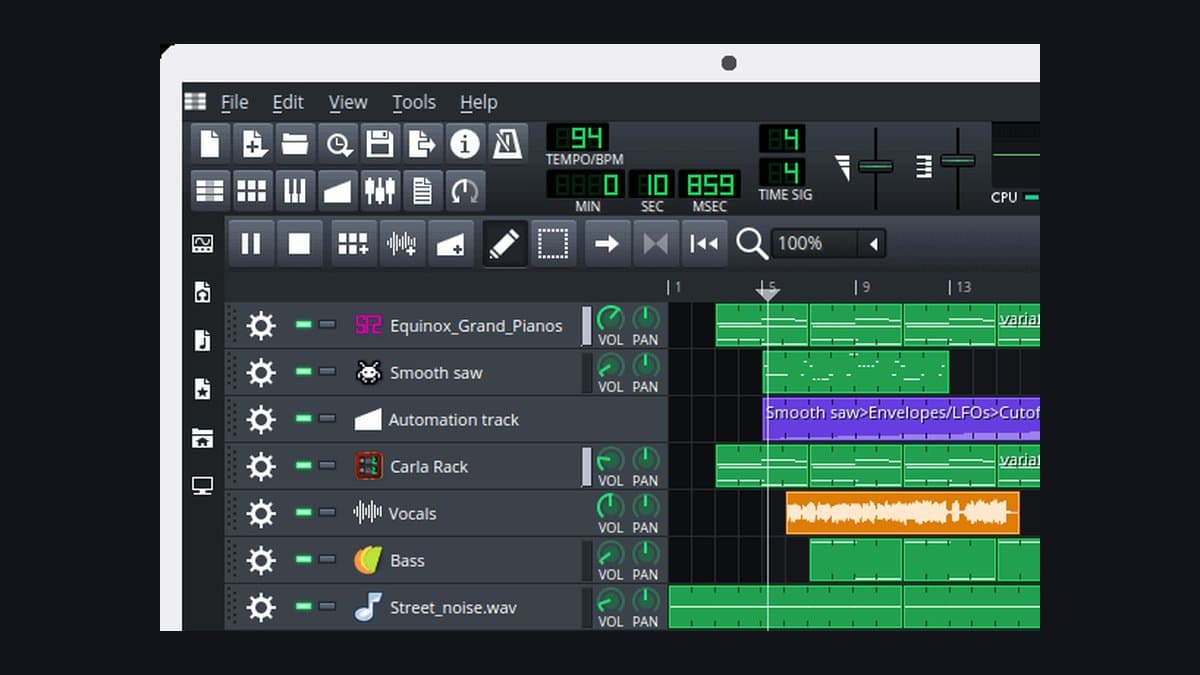
LMMS is open source, cross-platform and squarely aimed at beatmaking and electronic music. As of 2026 it's also the most practical free DAW on Linux, a role Waveform used to fill. A deep synth collection at zero cost earns the 7.2, marked down hard for one enormous limitation below.
| LMMS | At a glance |
|---|---|
| Dubspot Score | 7.2 / 10 (Good) |
| Platforms | Windows, macOS and Linux |
| Plugin support | VST instruments on Windows via VeSTige; VST effects on Windows and Linux via Wine; no VST on macOS. LADSPA throughout |
| Free-tier limits | Free and open source (GPL v2 or later), no account. It cannot record audio at all |
| Upgrade path | None (donations only) |
The bundled instruments are the reason to look. Triple Oscillator is the workhorse subtractive synth, ZynAddSubFX is embedded for additive, subtractive and pad synthesis, LB302 covers acid basslines, and Monstro, Watsyn and BitInvader handle more adventurous sound design. Then there's the chip section: FreeBoy for Game Boy sounds, SID for the Commodore 64, NEScaline for NES tones and OpulenZ for the Yamaha OPL2. SoundFont, GIG and Gravis UltraSound formats load natively. Effects are solid rather than exciting, covering ReverbSC, the LOMM multiband compressor, Bitcrush, Dual Filter and Multitap Echo, with LADSPA filling gaps.
The official manual states plainly that LMMS cannot record sound. There's no microphone or line-in workflow at all. Vocals and guitars have to be recorded elsewhere and imported as files, then placed on sample tracks or loaded into the AudioFileProcessor. If you sing or play, pair it with Audacity and accept the extra step.
The other notes are milder. The stable release is 1.2.2 from June 2020, which looks alarming until you check the project's own monthly progress reports. Development is active, a feature freeze is in place, and 1.3 is in the works with a manual branch already published. The interface is dense and dated, exports cover WAV and OGG with MP3 and FLAC added in the 1.2 series, and you'll find nothing here in the way of accounts, cloud storage or collaboration features.
Pros:
- Free and open source, with no account required
- 16 built-in synths including chip emulations you won't find elsewhere
- The most capable free DAW available on Linux today
- SoundFont, GIG and GUS multisample support built in
Cons:
- Cannot record audio at all, so vocals and guitar are import-only
- No VST on macOS, and Linux VSTs run through Wine
- Stable release dates from 2020, and the interface shows its age
Get it if you make pattern-based electronic music, especially on Linux. Skip it if you need to record a single microphone.
8. Pro Tools Intro: best for learning the industry-standard workflow
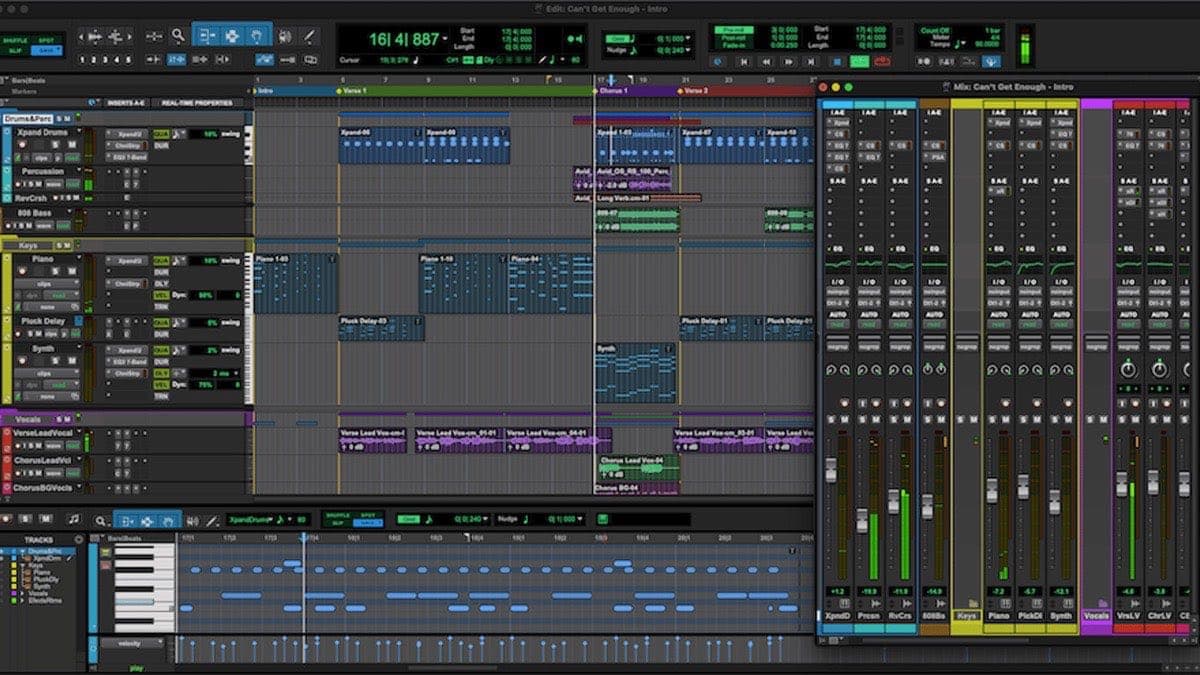
Pro Tools Intro is the most tightly capped option here, and the skills still transfer better than anything else on the list. Avid describes it as free forever, and it doesn't expire or watermark your exports. The track limits are restrictive enough to hold it at 7.0, and the workflow it teaches earns every point of that 7.0.
| Pro Tools Intro | At a glance |
|---|---|
| Dubspot Score | 7.0 / 10 (Good) |
| Platforms | Windows 11 (24H2 or 25H2) and recent macOS releases. No Linux or iPad version |
| Plugin support | AAX Native and AAX AudioSuite only. No VST or AU |
| Free-tier limits | 8 audio, 8 MIDI and 8 instrument tracks, 4 simultaneous recording inputs |
| Upgrade path | Pro Tools Artist from $9.99 a month |
The caps are the headline: 8 audio tracks, 8 MIDI tracks, 8 instrument tracks and 4 simultaneous inputs. Open a larger session in Intro and tracks beyond the eighth are simply truncated, though File > Import Session Data lets you pull in a chosen eight instead.
Everything else is more generous than the track count implies. Around 40 plugins are bundled, headlined by Xpand!2 and its 1,200-plus presets, alongside Native Instruments Kontakt 8 Player, SoundFlow and Splice. The engine runs at 32-bit floating point up to 192 kHz. Elastic Audio, ARA 2, track comping, Beat Detective, folder tracks, clip gain, track freeze and commit, and the Sketch window are all included. That's a lot of professional tooling in a free download.
Sign-up has two parts. You need an Avid account to download, and licensing runs through PACE iLok. Intro uses a free disk-based authorization, though, so no physical dongle is involved. Missing features include AAC encode and decode, exporting a selected range, video tracks, VCA mixing and surround formats.
If you plan to work in a commercial studio or in post-production, learning Avid's editing workflow early pays off later. When you outgrow it, Pro Tools Artist raises the ceiling to 32 audio tracks, 64 MIDI tracks and 110-plus plugins, and adds Melodyne 5 essential and iZotope RX 11 Spectral Editor. It's available as a subscription at Plugin Boutique or as a perpetual license at Best Service.
Pros:
- Free forever, with no watermark and no expiry
- Teaches the editing workflow used across studios and post-production
- Around 40 bundled plugins including Xpand!2, plus Kontakt 8 Player
- No iLok dongle needed, since the disk-based authorization is free
Cons:
- 8 audio, 8 MIDI and 8 instrument tracks is a hard, real cap
- AAX only, so existing VST and AU plugins won't load
- Larger sessions open truncated to the first eight tracks
Get it if you are heading toward studio or post-production work. Skip it if you need track headroom, or you own a VST collection.
Free DAWs compared
| DAW | OS | Plugin formats | Free-tier limits | Account needed | Upgrade path |
|---|---|---|---|---|---|
| Reason Free | Windows, macOS | Is a VST3/AU/AAX plugin for other DAWs; Rack Extensions | 16 tracks standalone, 15 devices | Yes (Reason Studios) | Reason+ from $169/year, Reason 14 from $299 |
| Waveform Free | Windows, macOS (Linux "coming soon") | VST, VST3, AU | No track cap; no clip launcher, chord/arranger track, clip automation or real-time stretch | Yes (Tracktion) | Waveform Pro $249, or $30 to $50 expansions |
| Cakewalk Sonar | Windows 11 | VST2, VST3, ARA | Unlimited tracks; limited ProChannel modules, no Core Plugins, no Elastique | Yes (BandLab), plus periodic reactivation | Membership $14.99/month or $99 first year |
| GarageBand | macOS, iOS/iPadOS | Audio Units only | 255 tracks on Mac, 32 on iOS; simplified mixing | Apple Account you already have | Logic Pro $199.99 |
| Audacity | Windows, macOS, Linux | VST3, VST, LV2, LADSPA, AU on macOS | Audio only: no MIDI recording, no instruments | No | None (no paid version) |
| BandLab | Browser, iOS, Android | None (built-in only) | 16 tracks, 15-minute project cap, ads, 10 FX slots | Yes (BandLab) | Membership $14.99/month or $99 first year |
| LMMS | Windows, macOS, Linux | VST instruments on Windows; VST effects on Windows and Linux; none on macOS | Cannot record audio at all | No | None (donations only) |
| Pro Tools Intro | Windows 11, macOS | AAX only | 8 audio / 8 MIDI / 8 instrument tracks, 4 inputs | Yes (Avid), plus a free iLok account | Pro Tools Artist from $9.99/month |
If you outgrow the free Rack
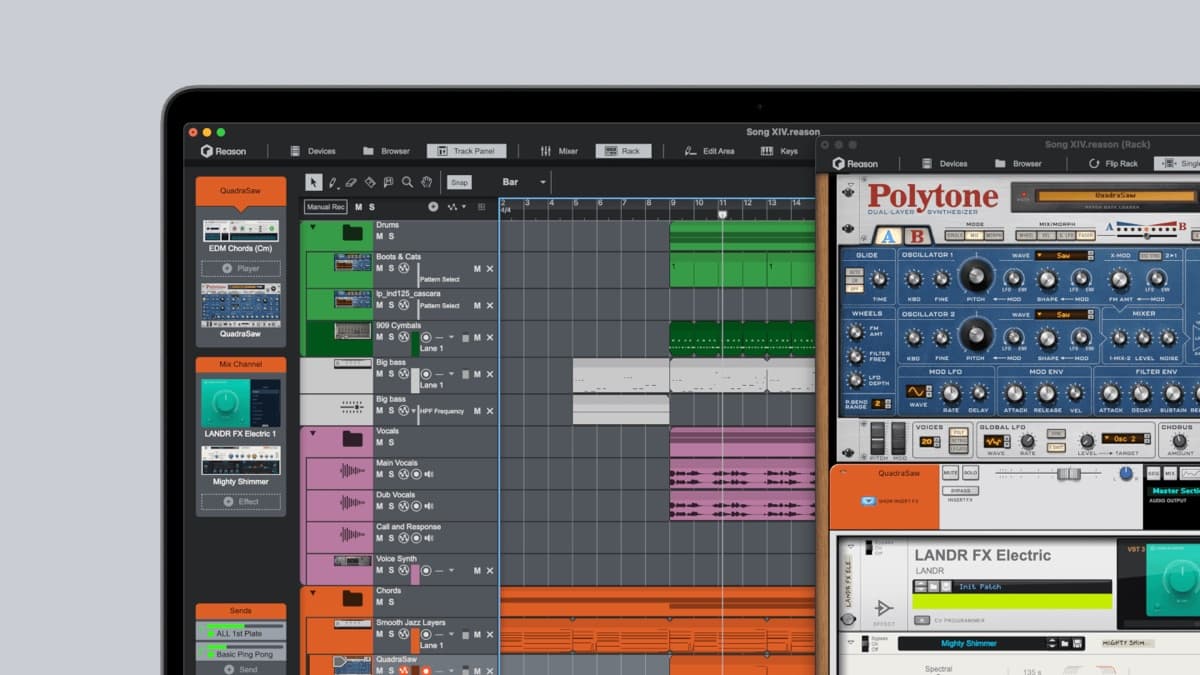
Two routes lead out of Reason Free. A Reason+ subscription starts at $169 a year and unlocks 90+ instruments, effects and Players, weekly Sound Packs and the full Reason DAW, plus LANDR's wider ecosystem, which includes unlimited music distribution. The alternative is a perpetual Reason 14 license, starting at $299, with upgrades from existing versions from $99.
You can see what you're buying before spending anything. Every Reason+ device appears in the free Rack as a greyed-out slot, so browsing the device list doubles as a preview. Patches and Combinators built in the free plugin stay compatible with full Reason, so nothing you make now has to be rebuilt later.
Reason 14 arrived in May 2026 and is the modern-workflow release. The new Track Panel puts signal chain, levels and sends directly inside the sequencer, and Rack per Track keeps each track's devices where you expect them. Both changes address the classic complaint about Reason, which is that the Rack and the sequencer lived too far apart.
Check Reason 14 price on Plugin BoutiqueWhich free DAW should you choose?
- Starting from zero and want serious sound design → Reason Free. Europa alone justifies the download.
- Already settled in another DAW → Reason Free, as a plugin. Same download, no workflow change.
- You want an unlimited DAW that hosts your plugins → Waveform Free. VST, VST3 and AU, with no track cap.
- You want the most power on Windows → Cakewalk Sonar. Unlimited tracks, professional engine, no cost.
- A Mac or iPhone beginner → GarageBand. It's already installed, so start there today.
- Editing, cleaning or converting audio → Audacity. Not a DAW, and the best free tool for the job.
- Writing with other people on any device → BandLab. Nothing to install, 50 collaborators per project.
- On Linux → LMMS, with Audacity alongside for recording and editing. Waveform's Linux support for 14 is still listed as coming soon, so it isn't the answer today.
- Heading toward studio or post-production work → Pro Tools Intro. Eight tracks, but the right muscle memory.
Fifteen years of testing this stuff has left me with one unglamorous conclusion: the best DAW is the one you finish tracks in. Free software won't do everything a paid studio setup does, and it doesn't have to. Pick one, learn it properly, finish something.
When you outgrow the stock sounds, browse plugins at Plugin Boutique and grab sample packs to feed Kong over at Loopcloud. Our roundups of the best free VST plugins in 2026 and the best free synth VSTs in 2026 are a good place to start.
FAQ
Is Reason Free really free forever?
Yes. There's no trial period and no expiration date, nothing watermarks your exports, and no credit card is required. The patches, projects and samples you create stay yours permanently, whether or not you ever upgrade. You do need a free Reason Studios account to download and activate it.
Can I use Reason Free inside Ableton Live, Logic or FL Studio?
Yes. The same download installs the Reason Rack as a VST3, AU and AAX plugin, so it loads inside Ableton Live, FL Studio, Logic Pro, Pro Tools, Cubase and other major hosts. It also runs standalone with 16 audio and/or MIDI tracks. Most people end up using both modes depending on the session. A newer DAW in this lane is Tracker Pro.
What's the difference between Reason Free and Reason 14?
Reason Free gives you 15 devices plus a 16-track standalone DAW. Reason 14 gives you the full device collection and the complete modern DAW, including the new Track Panel and Rack per Track. You reach Reason 14 through a Reason+ subscription or a perpetual license, and patches built in the free version carry over.
Is Cakewalk still free in 2026?
Cakewalk by BandLab has reached the end of its development and support, with activation renewals ceasing at the end of 2025. Its successor, Cakewalk Sonar, has a free tier covering recording, editing, mixing and exporting with unlimited tracks, a 64-bit engine, VST2, VST3 and ARA. It needs a free BandLab account and periodic reactivation, and deeper features require a paid BandLab Membership.
What's the best free DAW for VST plugin support?
Waveform Free. It handles VST, VST3 and AU on Windows and macOS with no artificial limits, though the Linux build for 14 hasn't shipped yet. GarageBand is the weak point, since it loads Audio Units and never VST, and Pro Tools Intro is AAX-only. Reason Free plays a different role: it is the plugin you load into other DAWs.
Does BandLab have a time limit?
Yes, but not the kind people expect. There's no trial clock, and the free tier lasts indefinitely. Each project is capped at 15 minutes and 16 tracks, and the 15-minute ceiling applies to paying members too. A BandLab Membership raises the per-project track count to 32.
Can LMMS record vocals or guitar?
No. The official LMMS manual states that the software cannot record sound, and there's no microphone or line-in workflow in it. Record vocals and guitar in another application, then import the files into LMMS on a sample track or through the AudioFileProcessor. Audacity is the obvious free partner for that step.
Do I need an account to use these free DAWs?
It varies, and it's worth knowing before you download. Reason Free, Waveform Free, Cakewalk Sonar, BandLab and Pro Tools Intro all require a free account with the developer, and Sonar additionally needs periodic online reactivation. Audacity and LMMS require nothing at all. GarageBand uses the Apple Account you already have for the App Store.
Are free DAWs good enough to release music?
Yes. Nothing in these audio engines stands between you and a finished, released track. The real limit is the time you spend learning your tool and training your ears. Listeners have never once asked which DAW a record came out of.