Some links on this page are affiliate links. If you buy through them, Dubspot may earn a commission at no extra cost to you. It never affects our scores or what we recommend — read our policy.
AstroLab 2.0 Adds Front-Panel Editing and 60+ Sounds
Arturia's free AstroLab 2.0 update brings front-panel Sound Edit, 60+ new sampled instruments and better sampler polyphony to the stage keyboard. Full details.
E
Elena Marsh
October 7, 2026 · 8 min read
Black Friday 2026Arturia Black Friday 2026: dates and deals →
Arturia has released AstroLab 2.0, a free firmware update for its AstroLab stage keyboards. The headline change is on-board sound editing: you can now shape each instrument from the front panel instead of reaching for a laptop. The update also adds more than sixty new sampled instruments and a round of performance fixes, and it runs on all three AstroLab models. This is a first look based on Arturia's official update page, not a hands-on review.
At a glance: AstroLab 2.0 is a free update for the AstroLab 37, 61 and 88. It introduces a Sound Edit view that maps each instrument's key parameters onto the four macro knobs, adds 60+ new sample-based instruments including an eight-velocity-layer piano, and improves sampler polyphony and Analog Lab linking. Install it through the free Analog Lab software. The hardware itself runs from $699 for the 37 to around $2,399 for the 88.
What the AstroLab is
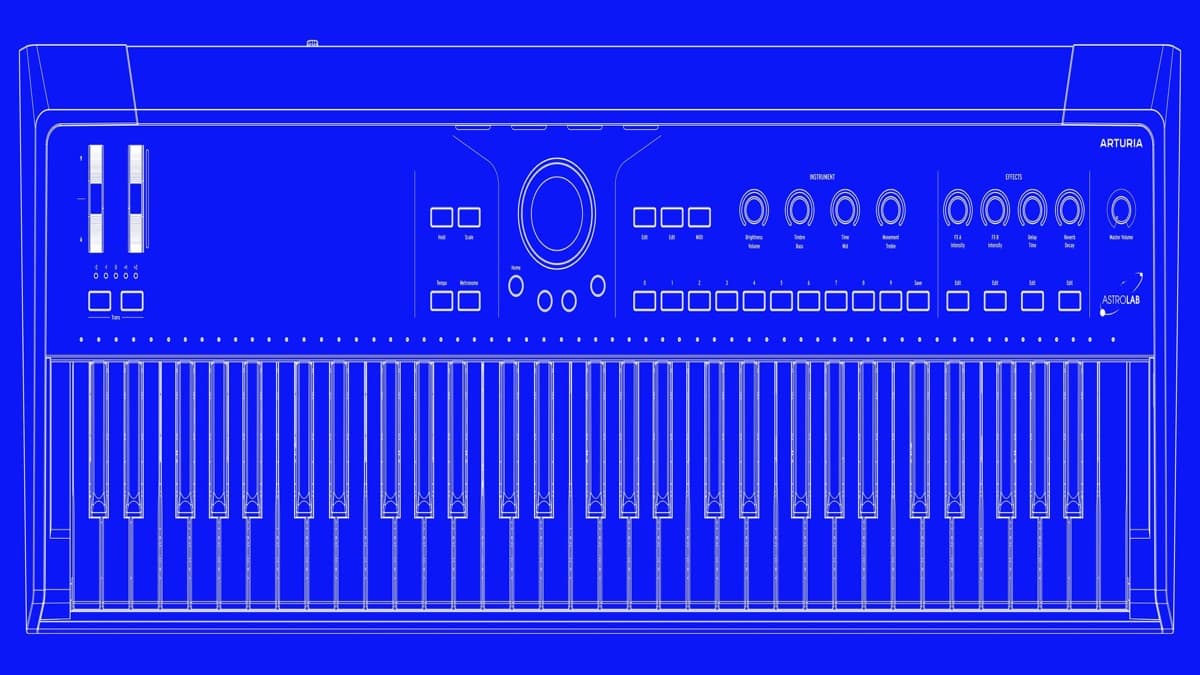
The AstroLab is Arturia's stage keyboard, and its whole idea is to put the company's software instruments into a standalone box you can gig with. Instead of carrying a laptop and praying the drivers behave, you get Arturia's engines running natively in hardware, driven from a clean performance panel. It reads the same preset world as Analog Lab and the V Collection, so a sound you build at home transfers to the stage.
Under the hood the AstroLab carries eleven synthesis types: virtual analog, samples, wavetable, FM, granular, physical modeling, vector, harmonic, phase distortion, vocoder and Karplus. It ships with more than 1,800 onboard presets and can hold over 10,000 sounds once you add V Collection and Pigments. Four macro knobs labelled Brightness, Timbre, Time and Movement sit at the center of the panel, backed by twelve insert effects, an arpeggiator, a MIDI looper, and chord and scale modes. That is the instrument the 2.0 update is reshaping.
What AstroLab 2.0 changes
The update shifts what the AstroLab is for. It becomes an instrument you program on its own, rather than a box that only plays back sounds you built on a computer.
Front-panel Sound Edit is the big one. Version 2.0 adds a Sound Edit view that puts each instrument's key parameters directly under the four macro knobs. Dedicated pages cover envelopes, filter and glide, so you can reshape a patch from the panel in the moment. Before this, deep editing meant linking to Analog Lab on a computer. Now the keyboard stands on its own for the edits players actually reach for mid-set: opening a filter, lengthening a release, tightening glide on a lead. It turns the macro section from a set of fixed performance controls into a shallow but genuine synth-editing surface.
Sixty-plus new sampled instruments. The update bundles a fresh batch of sample-based sounds, led by a new acoustic piano built from eight velocity layers for a more natural response across soft and hard playing. Alongside it are funk and orchestral brass, pop strings, and upright and electric basses. That lineup is aimed squarely at the working player who needs bread-and-butter tones that hold up in a band, not just synth textures. More velocity layers on the piano in particular is the kind of detail that decides whether a stage piano feels playable or stiff.
Performance and workflow fixes. Arturia has improved sampler polyphony, so the sample-based instruments handle denser playing before voices start stealing. Analog Lab linking and updating are smoother, transposition now shows on the Octave LEDs so you can see your current shift at a glance, and aftertouch response has been refined. None of these grab a headline, but together they are the difference between an instrument that feels finished and one that feels like a work in progress.
AstroLab 2.0 specifications
| Spec | Detail |
|---|---|
| Update | AstroLab 2.0, free firmware |
| Compatible models | AstroLab 37, 61, 88 |
| New editing | Sound Edit view on front panel, parameters mapped to four macro knobs, dedicated envelope / filter / glide pages |
| New content | 60+ sample-based instruments: eight-velocity-layer piano, funk and orchestral brass, pop strings, upright and electric basses |
| Improvements | Higher sampler polyphony, smoother Analog Lab linking and updating, transposition shown on Octave LEDs, refined aftertouch |
| Sound engines | 11 types (virtual analog, samples, wavetable, FM, granular, physical modeling, vector, harmonic, phase distortion, vocoder, Karplus) |
| Onboard presets | 1,800+, expandable to 10,000+ with V Collection and Pigments |
| Install | Via free Analog Lab software |
| Price | Free update |
AstroLab vs a laptop and Analog Lab
The AstroLab's real competition is not another keyboard, it is the rig most producers already own: a laptop running Analog Lab or the V Collection with a MIDI controller on top. The 2.0 update sharpens the case for the hardware by closing the gap that used to send you back to the computer, namely editing.
| AstroLab 2.0 | Laptop + Analog Lab + controller | |
|---|---|---|
| Same sound library | Yes | Yes |
| On-stage editing | Front-panel Sound Edit, no computer | Full editing, but needs the laptop open |
| Boot and reliability | Instant on, no OS to crash | Depends on the computer and drivers |
| Portability | One instrument | Keyboard, laptop, interface, cables |
| Deep sound design | Shallow but present | Complete |
| Cost | $699 to ~$2,399 | Price of the controller plus software you may own |
Pick the laptop rig if you do most of your sound design at a desk and only occasionally perform, because nothing beats the full editor on a big screen. Pick the AstroLab if the stage is the point and you want an instrument that turns on and works, now with enough front-panel control that the laptop can stay in the bag. For controller options to pair with a software rig, our best MIDI keyboards of 2026 guide is the companion read, and the best hardware synthesizers of 2026 covers standalone alternatives.
Who AstroLab 2.0 is for
Every existing AstroLab owner should install it, because it is free and it meaningfully expands what the instrument can do without a computer. The new piano and band instruments make it a stronger choice for anyone playing in a covers or function context, where a believable acoustic piano and usable brass matter more than another wavetable. For players who bought the AstroLab mainly as a synth-preset machine, the front-panel Sound Edit is the feature that will change how you use it day to day.
If you never leave the studio and already edit everything in Analog Lab on a large display, the update changes less for you, though the extra sounds and the polyphony bump are still worth having. And if you do not own an AstroLab yet, 2.0 is a reason to look harder, because it answers the most common criticism of the original: a performance keyboard built on deep software still made you open that software to edit anything serious.
How much does the AstroLab cost?
The update is free. The hardware comes in three sizes. The AstroLab 37 is the compact model at around $699, the AstroLab 61 with 61 semi-weighted aftertouch keys sits at about $1,999, and the full-size AstroLab 88 runs near £1,845, roughly $2,399 depending on region. All three include Analog Lab Pro and the AstroLab Connect mobile app, and all three receive the 2.0 update. You install it by connecting the keyboard to the free Analog Lab software and following the update process. For the full picture of how the instrument sits in Arturia's lineup, see our look at Pigments Play and the MiniFreak 5 update. Arturia's newest keyboard is a synth rather than a stage board: the MiniFreak 49 synthesizer, a $849 hybrid with 49 semi-weighted keys.
FAQ
Is AstroLab 2.0 free?
Yes. AstroLab 2.0 is a free firmware update for all AstroLab owners. You install it through Arturia's free Analog Lab software by connecting the keyboard and running the update process.
Which AstroLab models get the 2.0 update?
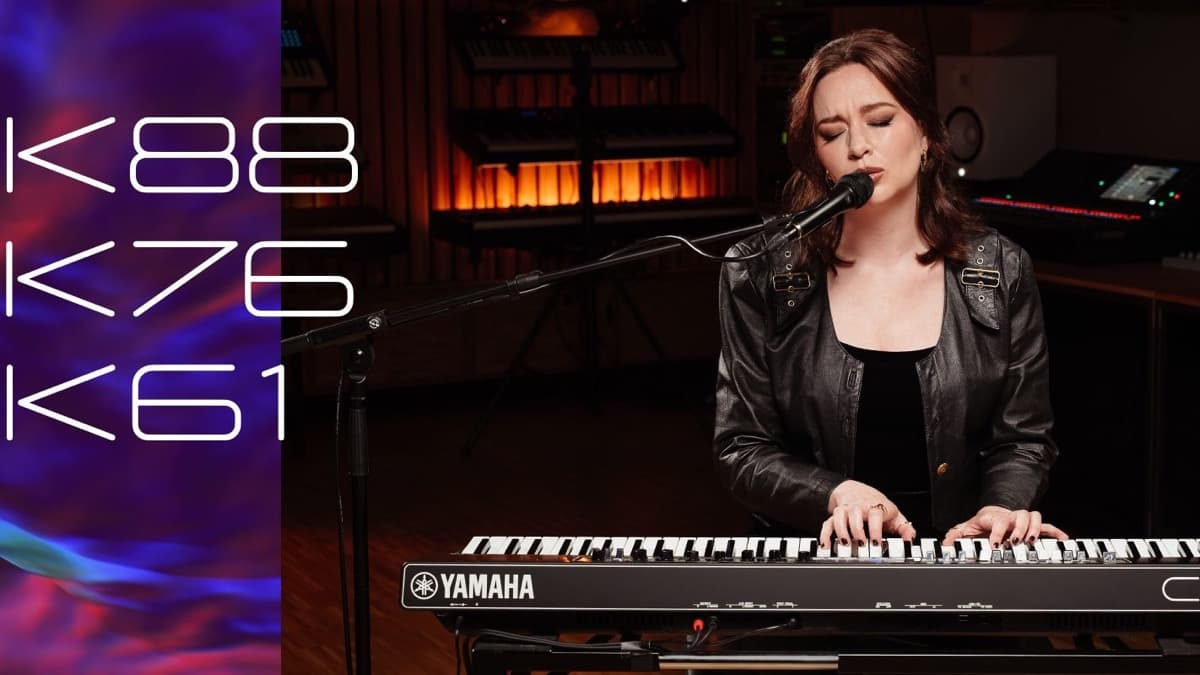
All of them. The update applies to the AstroLab 37, the AstroLab 61 and the AstroLab 88. The new sounds, the Sound Edit view and the performance fixes are shared across the line. Yamaha's CK line is the closest rival, and the new Yamaha CK76 stage keyboard adds a 76-key size between the CK61 and CK88.
Can you edit sounds on the AstroLab without a computer now?
Yes. The headline addition in 2.0 is a Sound Edit view that maps each instrument's key parameters to the four macro knobs, with dedicated pages for envelopes, filter and glide. You can reshape patches from the front panel rather than linking to Analog Lab.
What new sounds does AstroLab 2.0 add?
More than sixty new sample-based instruments, including an acoustic piano built from eight velocity layers, funk and orchestral brass, pop strings, and upright and electric basses. They target players who need realistic band and keyboard tones on stage.