Some links on this page are affiliate links. If you buy through them, Dubspot may earn a commission at no extra cost to you. It never affects our scores or what we recommend (read our policy).
Splice Create: The Free DAW You Can Talk To
Splice Create is a free macOS DAW powered by the Splice sample catalog, with voice and text control, built-in instruments and a $9.99/mo Pro tier.
P
Priya Raman
November 7, 2026 · 9 min read
Dubspot's best Black Friday dealsDubspot Tracker Pro: $15, was $24.99 ↗Drum Programming and Groove Production Course: $19, was $99 ↗
Black Friday 2026Splice Black Friday 2026: dates and deals →
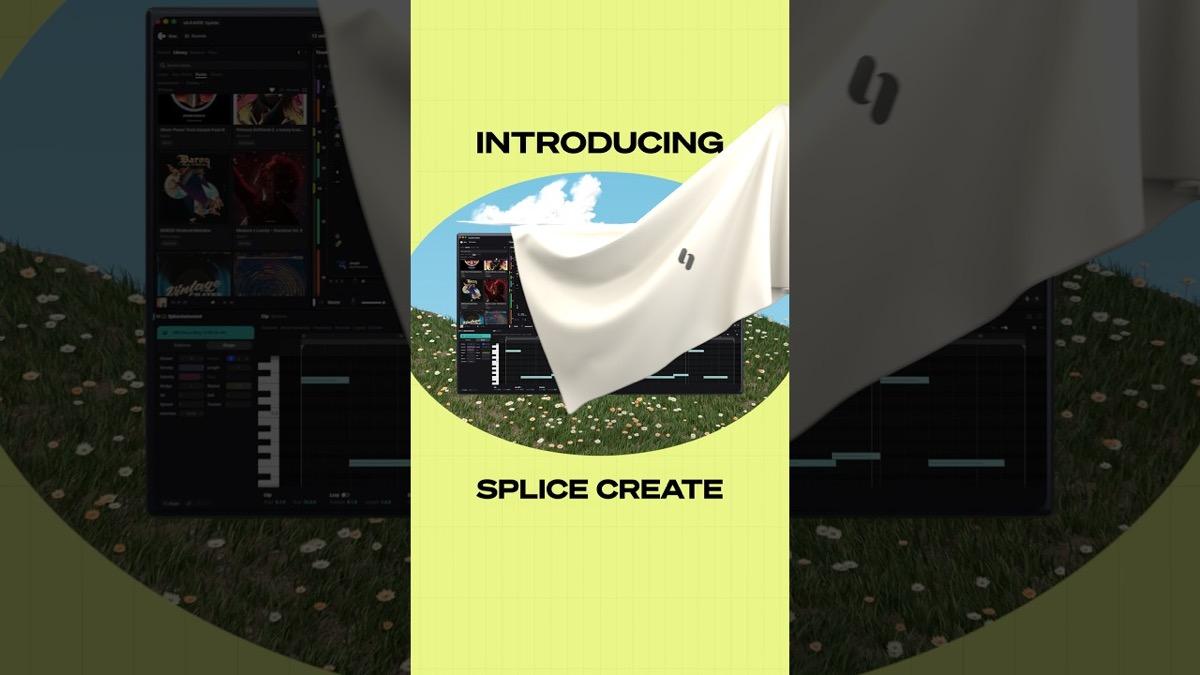
Splice spent a decade as the place producers go for samples. In early November 2026 it became a place you can also finish the track. Splice Create is a full desktop DAW that puts the Splice catalog, a set of instruments and effects, and a text-and-voice assistant into one free macOS app built to teach you as you work.
At a glance: Splice Create is a standalone macOS 12+ app, currently in beta, with Windows and web versions listed as coming soon. The app is free with no card and no time limit. A Create Pro tier runs $9.99/mo introductory and unlocks WAV and stem export, unlimited Splice samples without credits, and a monthly allowance of Rheo usage. You can export sessions and open them in Ableton Live.
What is Splice Create?
Splice calls it "a full DAW powered by Splice." The word that matters there is powered. Instead of starting with an empty project and a separate browser full of downloaded loops, Create wires the Splice Sounds catalog directly into the timeline. The samples are described as 100% royalty-free for everyone, so anything you drop in is cleared for release from the start.
Around that catalog sits a complete production environment. There are built-in instruments under the Splice INSTRUMENT banner, a library of rent-to-own plugins, and an export path to WAV and stems. The app is a standalone program, not a plugin, and it runs on macOS 12 or later. Splice lists Windows and web versions as on the way, so the Mac beta is the first step rather than the whole plan.
The pitch is aimed squarely at people who have ideas but stall on the mechanics of a traditional DAW. Create leans on guidance and assistance to carry a beginner from a blank page to a finished loop, while still exporting into the tools that professionals already use.
What's new in Splice Create?
The big idea runs deeper than any single feature. Create folds instruction and automation into normal production, so you learn the moves while you make the track.
- Voice and text control. An assistant bar sits in the session and takes plain instructions. Ask it to group your drums or drop an effect on a channel, and it handles the busywork in the background while you keep your focus on the music.
- Point. When you hit a step you don't know how to do, Point shows you how inside the session. It is contextual, step-by-step guidance rather than a separate manual, which is how Splice delivers on the "learn as you go" promise.
- Assist. This is the automation layer. Splice is clear that Assist doesn't generate new sounds for you. It teaches a technique, follows along as you work, or takes over repetitive tasks, and it can search the Splice catalog, write MIDI patterns, or build on your Variations.
- Splice Sounds built in. The sample catalog lives in the app, royalty-free, so the search-download-import loop collapses into a single step.
- Splice INSTRUMENT. A set of virtual instruments ships inside the DAW, so you're not starting with silence and a stock piano.
- Rent-to-Own Plugins. The app cites more than 130 tools available through interest-free monthly payments, extending Splice's long-running rent-to-own model into the DAW itself.
The common thread is that Create tries to remove the two things that stop beginners: not knowing the next move, and the friction of wiring up sounds. Experienced producers may find the guidance unnecessary, but the royalty-free catalog and the export path still earn it a place as a sketchpad.
Splice Create specifications
| Spec | Detail |
|---|---|
| Type | Standalone desktop DAW |
| Platform | macOS 12 or later (beta) |
| Coming soon | Windows and web versions |
| Bundled sounds | Splice Sounds catalog, 100% royalty-free |
| Instruments | Splice INSTRUMENT virtual instruments |
| Plugins | 130+ rent-to-own tools, interest-free monthly payments |
| Assistance | Voice and text control, Point guidance, Assist |
| Export | Full mixes or stems as WAV (Create Pro) |
| DAW interop | Open sessions in Ableton Live; shortcut presets for Ableton, Logic, Bitwig, Pro Tools |
| Your own content | Supports your own plugins and sample folders |
| Price | Free; Create Pro $9.99/mo introductory |
Splice Create vs GarageBand
The most useful comparison for a new Mac producer is the other free macOS DAW, GarageBand. They solve the beginner problem from opposite directions. GarageBand gives you a full set of built-in instruments, amps, and Apple Loops with no sign-in. Splice Create gives you the Splice catalog and an assistant that explains the workflow as you go.
| Splice Create | GarageBand | |
|---|---|---|
| Price | Free; Create Pro $9.99/mo | Free |
| Platform | macOS 12+ (beta) | macOS, iOS |
| Core idea | DAW built around the Splice catalog and an assistant | Full beginner DAW with built-in instruments and loops |
| Bundled sounds | Splice Sounds (royalty-free), Splice INSTRUMENT | Apple Loops, built-in instruments and amps |
| Guided help | Voice and text control, Point, Assist | None |
| Export | WAV and stems (Pro) | WAV, AAC, hand-off to Logic |
| Third-party plugins | Your own plugins and sample folders | Audio Unit plugins |
If you want a mature, stable DAW today, GarageBand is the safer pick and it costs nothing. If you live inside the Splice catalog and want the sounds, the guidance, and the automation in one window, Create is the more interesting tool, with the caveat that it's still a beta. Either way, the real graduation step is a pro DAW like Ableton Live or FL Studio, and Create's export path is designed to hand your work over when you get there.
Who Splice Create is for
Create is built for the producer who has melodies in their head and no idea which button starts the drums. The guidance, the assistant, and the ready-made catalog are all aimed at getting that person to a finished eight-bar loop without a tutorial marathon. It is also a natural fit for existing Splice subscribers, since it removes the download step entirely and keeps the samples royalty-free.
You can skip it if you already run a full DAW fluently. The assistant and the lessons are overhead you don't need, and a seasoned producer will move faster in their existing session. Mac-only is the other real limit right now. If you're on Windows, the app isn't here yet, so keep an eye on the coming-soon list rather than switching plans.
How much does Splice Create cost?
The app itself costs nothing. You start without a card, the free tier never expires, and Splice frames it as the full Create app rather than a stripped-down trial. Create Pro is $9.99 per month at introductory pricing and you can cancel any time. Pro is what unlocks exporting songs and stems as WAV, using any Splice sample without spending credits, a monthly allowance of Rheo usage, and discounted usage Packs. You download it from the official Splice Create page.
The free tier is usable on its own, so the smart approach is to build a few ideas in it before deciding whether Pro's export and unlimited samples justify the subscription. For more free starting points, our best free DAWs guide covers the alternatives, and best DAWs for beginners maps out where you go next.
FAQ
Is Splice Create free?
Yes. The full app is free to download, with no card at signup and no expiry. A Create Pro tier at $9.99/mo introductory adds WAV and stem export, unlimited Splice samples without credits, and a monthly allowance of Rheo usage.
What platforms does Splice Create run on?
It is a macOS 12 or later app, currently in beta. Splice lists Windows and web versions as coming soon.
Do I need a separate Splice subscription?
No. The Splice Sounds catalog is built into the app. The free tier uses samples with credits, and Create Pro removes the credit limit on samples.
Can I open Splice Create projects in Ableton Live?
Yes. You can export sessions and open them in Ableton Live, and the app includes shortcut presets for Ableton, Logic, Bitwig, and Pro Tools, plus support for your own plugins and sample folders.
Splice Create vs GarageBand, which should a beginner pick?
GarageBand is the stable, no-cost default with a deep instrument set. Splice Create is the better fit if you want the Splice catalog and guided, assisted production in one window and can live with a beta.
Verdict
Splice Create is the logical end of the road Splice has been on for years. It takes the catalog that producers already rely on and wraps it in a DAW that explains itself, so the gap between an idea and a finished loop gets a lot shorter. The voice and text control and the Point lessons target the beginner who stalls on the mechanics, and the royalty-free sounds and WAV export keep the work from getting trapped inside the app. The limits are the usual ones for a launch: it's macOS-only and still in beta, and seasoned producers won't need the hand-holding. Still, as a free sketchpad that hands your session to Ableton Live or FL Studio when you outgrow it, it is one of the most interesting free releases of the year. Start in the free tier and see how far it carries your next idea.