Some links on this page are affiliate links. If you buy through them, Dubspot may earn a commission at no extra cost to you. It never affects our scores or what we recommend — read our policy.
Scaler EQ Pro: Play Your EQ From MIDI
Scaler EQ Pro adds a MIDI Live Mode, dynamic bass and high-frequency compression, and an all-new filter engine to the note-aware EQ. Priced $99, $29 to upgrade.
P
Priya Raman
Updated September 29, 2026 · 11 min read
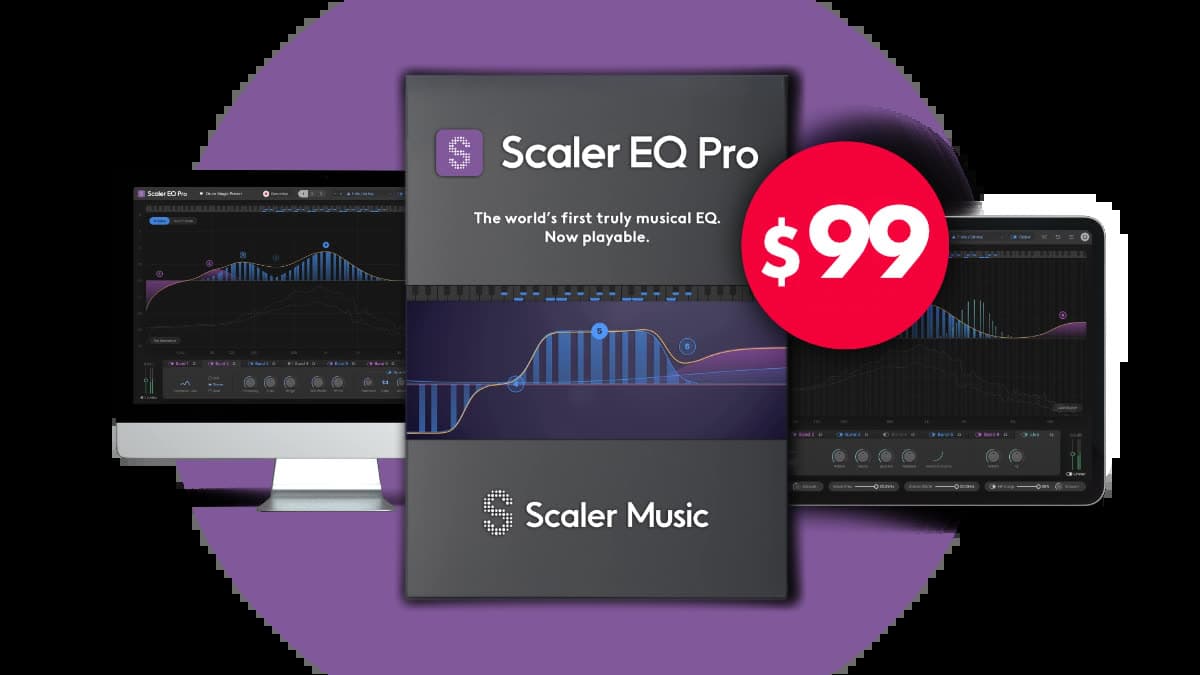
Scaler Music has released Scaler EQ Pro, a bigger, playable version of its note-aware equaliser. It launched on 23 September 2026 at $99, with a $29 upgrade for anyone who already owns Scaler EQ. The headline change is Live Mode, which lets you build and move EQ bands from a MIDI keyboard in real time. A new Magic Shelf band shapes the low and high end while it manages stereo information.
At a glance: $99 new, $29 upgrade for Scaler EQ owners, free trial from a Scaler Music account. Formats are VST3, AU, AAX, and standalone on macOS, and VST3, AAX, and standalone on Windows. System line is macOS 12 or later with native Apple Silicon and Intel support, and Windows 10 or later, both 64-bit only. An internet connection is required for download, activation, and updates.
What is Scaler EQ Pro?
Scaler EQ is built on one idea: tie the EQ to the key of the song. It detects the key, then offers Harmonic Peak filters that boost the frequencies belonging to notes in that key and leave the out-of-key frequencies alone. The result is an EQ that sounds musical when you push it, because it's nudging the parts of the spectrum that are already in tune with the track.
Scaler EQ Pro keeps that patented engine and rebuilds almost everything around it. Scaler Music describes it as "the world's first musical EQ, now playable." Two things drive that claim. The filter technology underneath the Harmonic Peaks is new, aimed at smoother and more natural boosts. And the whole thing now responds to MIDI, so the curve becomes something you perform. It sits where a mix or master EQ sits, but it also has a foot in sound design, because a MIDI-driven filter that tracks harmony is closer to a synth move than a channel strip.
What's new in Scaler EQ Pro?
Live Mode. This is the feature the name is built around. Live Mode is MIDI controlled and polyphonic, so it reads several notes at once. You play a chord or a line and the EQ creates bands that follow those notes, which means you can sweep resonance in time with a part or shape a pad by playing the shape you want. You can drive it from a MIDI clip and automate it like an instrument.
All-new filter engine. The Harmonic Peak filters and the standard filters now run on rebuilt filter code. Scaler Music's stated goal is smoother, more natural peaks with better precision, so heavy in-key boosts are meant to sit without the glassy edge that aggressive EQ can add.
Continuously variable slopes. Rather than jumping between fixed values, the cut and shelf slopes move continuously. You dial the exact steepness a transition needs, from a gentle tilt to a hard corner, without settling for the nearest preset step.
Dedicated bass and high-frequency compression. Scaler EQ Pro adds separate dynamic control for the low and high ends. You can tame a low end that only overshoots on certain notes, or hold back harsh top without pulling the whole track darker, because the compression is aimed at the band rather than the master. The bass compressor is there to hold low-frequency energy and keep the punch. The high-frequency compressor is there to smooth harsh top and keep the detail.
Magic Shelf. Alongside Peak, Shelf, High Cut, Low Cut, Notch, Band-Pass, and Tilt, the filter list now includes Harmonic Peak and Magic Shelf. Scaler Music describes Magic Shelf as a filter that shapes the low and high end while it manages stereo information. A normal shelf only changes gain above or below a corner. Magic Shelf is the band you reach for when the low or top end also needs a stereo decision, next to the separate stereo-width and low-frequency mono controls on the master.
Continuous Gain Match. As you carve or boost, the plugin compensates level automatically so your A and B comparison is fair. This matters more on an EQ that can add large in-key gains, since a louder curve always sounds better until you match the volume. Input and output peak limiters sit on the same path for a final ceiling.
Live Mode controls. Velocity sets how hard a played note drives the band. An ADSR shapes how that band moves over time. Polyphonic operation lets a chord create several bands at once. Performance Solo turns the EQ into something you can play as an effect, and Live Band Solo isolates the frequencies the current notes are processing. Dynamic EQ on any band can expand or compress, via a polarity control, and an external sidechain can drive a band from another track. The note-aware processing itself is covered by U.S. Patent No. 12,647,085. Processing is minimum-phase and zero latency, which is why the page lists it for mixing, tracking, and live use.
Automatic key detection with three slots. The EQ still reads the key of the incoming audio, and you get three scale slots you can switch between, which is useful for a song that changes key or a bus that carries more than one part. If you only need the key readout and chord ideas, zplane TONIC 2's real-time key detection does that as a dedicated tool.
The full traditional toolkit. Under the musical layer, Scaler EQ Pro is still a complete parametric EQ. Filter types include Peak, Shelf, High Cut, Low Cut, Notch, Band-Pass, and Tilt. Every band offers dynamic EQ, with threshold, ratio, attack, and release, and every band can run in Mid/Side. Hundreds of presets cover mixing, mastering, and sound-design starting points.
Scaler EQ Pro specifications
| Spec | Detail |
|---|---|
| Price | $99 new, $29 upgrade for existing Scaler EQ owners |
| Trial | Free trial from a Scaler Music account |
| Release | 23 September 2026 |
| Type | Note-aware musical EQ with dynamic EQ, band compression, and MIDI Live Mode |
| Signature feature | Patented Harmonic Peak filters that boost in-key frequencies |
| Live Mode | MIDI controlled, polyphonic, creates and moves bands in real time |
| Filters | Peak, Shelf, High Cut, Low Cut, Notch, Band-Pass, Tilt, Harmonic Peak, Magic Shelf |
| Slopes | Continuously variable, including fractional-order slopes |
| Dynamics | Per-band dynamic EQ, expand or compress, plus bass and high-frequency compression |
| Sidechain | External sidechain can drive individual bands |
| Stereo | Width, low-frequency mono, Mid/Side on every band. Magic Shelf manages stereo on the shelf |
| Level | Continuous Gain Match, plus input and output peak limiters |
| Latency | Minimum-phase, zero latency |
| Patent | U.S. Patent No. 12,647,085 |
| Key detection | Automatic, with three scale slots |
| Processing | Mid/Side available on every band |
| Presets | Hundreds, across mixing, mastering, and sound design |
| macOS formats | VST3, AU, AAX, standalone. macOS 12 or later, Apple Silicon and Intel native, 64-bit |
| Windows formats | VST3, AAX, standalone. Windows 10 or later, 64-bit |
| Activation | Internet connection required for download, activation, and updates |
Scaler EQ Pro vs FabFilter Pro-Q 4 vs TDR Nova
The obvious comparison is a modern surgical EQ, because that is what most people already reach for. FabFilter Pro-Q 4 is the reference dynamic and linear-phase EQ. TDR Nova is the free dynamic EQ that started a lot of producers on the idea. Scaler EQ Pro answers a different question: what should I boost, given the key?
| Scaler EQ Pro | FabFilter Pro-Q 4 | TDR Nova | |
|---|---|---|---|
| Price | $99, $29 upgrade | $199 on the Pro-Q 4 card | Free, GE paid tier |
| Core idea | Note-aware EQ tied to the song key | Surgical parametric with dynamic bands | Parallel dynamic EQ, four bands |
| Signature move | Harmonic Peak boosts in-key frequencies | Precise curves, spectrum grab, EQ sketch | Dynamic bands on a familiar layout |
| Play from MIDI | Yes, polyphonic Live Mode | No | No |
| Dynamic EQ | Every band, plus bass and HF compression | Every band | Every band |
| Mid/Side | Every band | Every band | Yes |
| Reach for it when | You want musical, in-key tone shaping you can perform | You want the most precise, transparent surgical EQ | You want capable dynamic EQ for free |
Which to pick. Choose Scaler EQ Pro when the goal is musical, not surgical: fattening a chord in its own key, riding resonance with a part, or shaping a pad by playing it. Choose Pro-Q 4 when you need the cleanest possible cuts, spectrum analysis you can drag, and the deepest surgical control. Choose Nova when the budget is zero and you want solid dynamic EQ to learn on. Scaler EQ Pro earns a place alongside those tools rather than replacing any of them. For harshness that Scaler leaves behind, a dynamic resonance tool like soothe3 still does its own job.
Who Scaler EQ Pro is for
Consider it if you already think in keys and chords, and you want an EQ that boosts with the harmony instead of against it. Producers who write with Scaler's own tools will find the workflow familiar.
Consider it if you want to perform or automate EQ moves. Live Mode is the reason to look here instead of at a standard channel EQ, because Pro-Q and Nova don't play bands from MIDI.
Consider it if your low end or top end misbehaves on specific notes. The dedicated bass and high-frequency compression targets those problems without darkening or thinning the whole mix.
Skip it if you only need surgical cuts and a spectrum you can grab. A traditional EQ like Pro-Q 4 is the more direct tool for that, and plenty of producers already own one.
Skip it if your host is VST2 only. Scaler EQ Pro ships as VST3, AU, and AAX, plus a standalone app, with no VST2 build listed.
How much does Scaler EQ Pro cost?
Scaler EQ Pro is $99 for a new licence, and existing Scaler EQ owners can upgrade for $29 from their My Products page. A free trial is available from a Scaler Music account, which is the best way to hear Live Mode and the new filter engine before buying. At launch, Scaler EQ Pro is sold directly by Scaler Music rather than through Plugin Boutique, where the original Scaler EQ still lists. Activation needs an internet connection for download, activation, and updates.
If you want the wider Scaler ecosystem, the chord and songwriting tool is covered in our Scaler 3 update piece and its plugin card. The short spec for the EQ lives on the Scaler EQ Pro plugin card.
FAQ
What is the difference between Scaler EQ and Scaler EQ Pro?
Scaler EQ Pro keeps the patented note-aware Harmonic Peak filtering and adds an all-new filter engine, MIDI-controlled polyphonic Live Mode, dedicated bass and high-frequency compression, continuously variable slopes, and Continuous Gain Match. Scaler EQ owners upgrade for $29.
Can you play Scaler EQ Pro from a MIDI keyboard?
Yes. Live Mode is MIDI controlled and polyphonic, so it creates and moves EQ bands in response to the notes you play, which lets you perform or automate EQ moves in time with a part rather than drawing a fixed curve.
Is Scaler EQ Pro a mixing tool or a sound-design tool?
Both. It works as a note-aware mix and master EQ with dynamic bands and Mid/Side on every band, and Live Mode plus the band compression push it into sound design, where a MIDI-driven filter that tracks harmony behaves more like an instrument.
What are the system requirements?
macOS 12 or later with native Apple Silicon and Intel support, in VST3, AU, AAX, and standalone. Windows 10 or later, 64-bit, in VST3, AAX, and standalone. An internet connection is required for download, activation, and updates.
What is Magic Shelf?
Magic Shelf is a filter band that shapes the low and high end while it manages stereo information. It sits with the Harmonic Peak bands and the ordinary Peak, Shelf, Cut, Notch, Band-Pass, and Tilt filters. Stereo width and low-frequency mono are separate master controls if you want those moves without the shelf.
Is the $29 upgrade worth it?
If you own Scaler EQ and you want to perform EQ from MIDI, dynamically control the low and high ends, or use the rebuilt filter engine, the upgrade is a small step up from a tool you already know. The free trial is the way to confirm Live Mode fits your workflow before paying.